Tue, Sep 30, 2025
The reasons I create a virtual environment on my local computer are to provide a secure testing space and to simulate the deployment environment. To achieve this, two factors, namely VirtualBox and Vagrant, make it possible.
# Update latesst homebrew version
$ brew update
# Install Virtualbox
$ brew install --cask virtualbox
# Install Vagrant
$ brew tap hashicorp/tap
$ brew install hashicorp/tap/hashicorp-vagrantVirtualBox : A powerful open-source virtualization software that allows you to run multiple operating systems on your local machine. It provides the underlying virtual hardware for the virtual machines you creaet.Vagrant : A tool for building and managing virtual machine environemnts in a simple and repeatable way.$ mkdir ubuntu
$ cd ubuntu
$ vagrant init hashicorp-education/ubuntu-24-04 --box-version 0.1.0Vagrantfile has been created in this directory by running the vagrant init command.
Vagrant.configure("2") do |config|
config.vm.box = "hashicorp-education/ubuntu-24-04"
config.vm.box_version = "0.1.0"
config.vm.provider "virtualbox" do |vb|
vb.memory = "1024"
vb.cpus = 1
v.name = 'my_ubuntu'
end
endIt added a provider option to allocate memory and cpu, and to set the name of the VM.
# Start VM
$ vagrant up
# Check status
$ vagrant statusRun this command in the directory that contains the Vagrantfile.
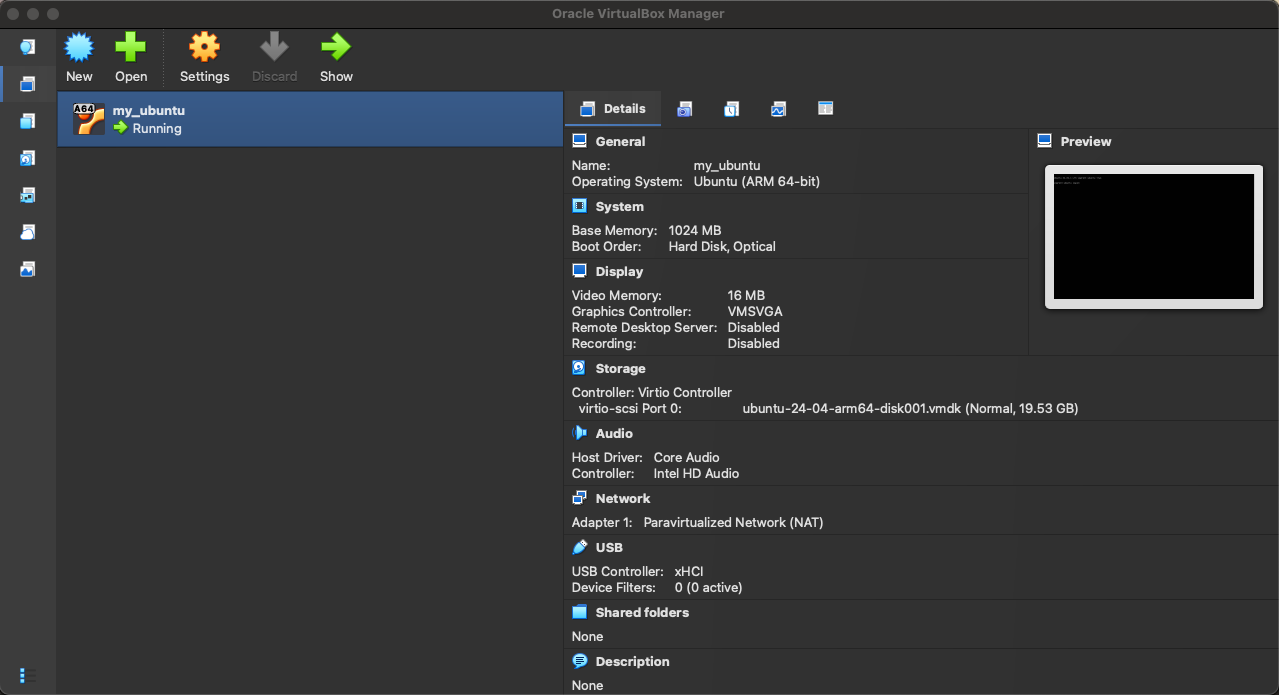
Vagrant.configure("2") do |config|
# Added provision
config.vm.provision "docker"
end$ vagrant provisionIf you want to install docker on a existing VM, add a provision in your Vagrantfile and run the command.
$ vagrant sshLet's connect to the VM.
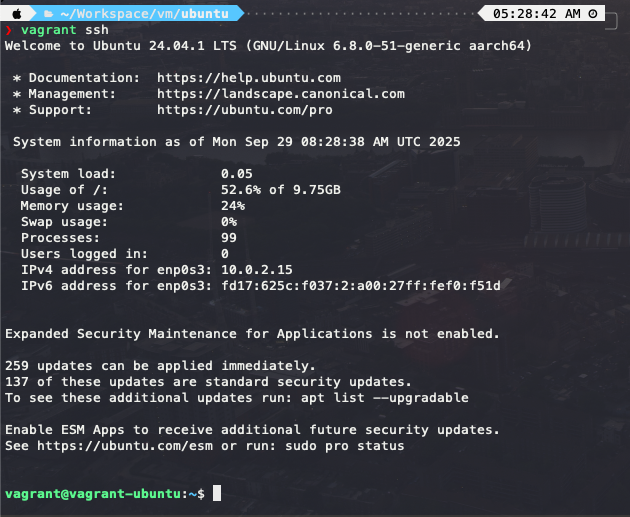
# on Ubuntu server
# Check OS version
$ cat /etc/os-release
# Check Docker version
$ docker --versionLet's check the OS version and Docker version on the Ubuntu server.
# Stop VM
$ vagrant halt
# Remove VM
$ vagrant destroy
# Upload to machine via communicator
$ vagrant reloadSo far, we've gone through the process of setting up a virtual environment with VirtualBox and Vagrant. With just a few steps, we now have a local space where we can safely test and even simulate real deployment environments.
If you're planning to dive into Docker or Kubernetes, this setup will definitely come in handy.